VTube Update History 4.4 - December, 2025
December 8, 2025 - Version 4.4 Build 1921
1 - NEW - Create Space Object Planes from Models
We added a new control window to the VTube-STEP Space Object menu, allowing users to import new planes from any surface (or as an average of combined surfaces) in any model with a surface.
The imported nominal planes can then be compared to measure planes in VTube-LASER. This ability will help with flat miter cuts in tubes.

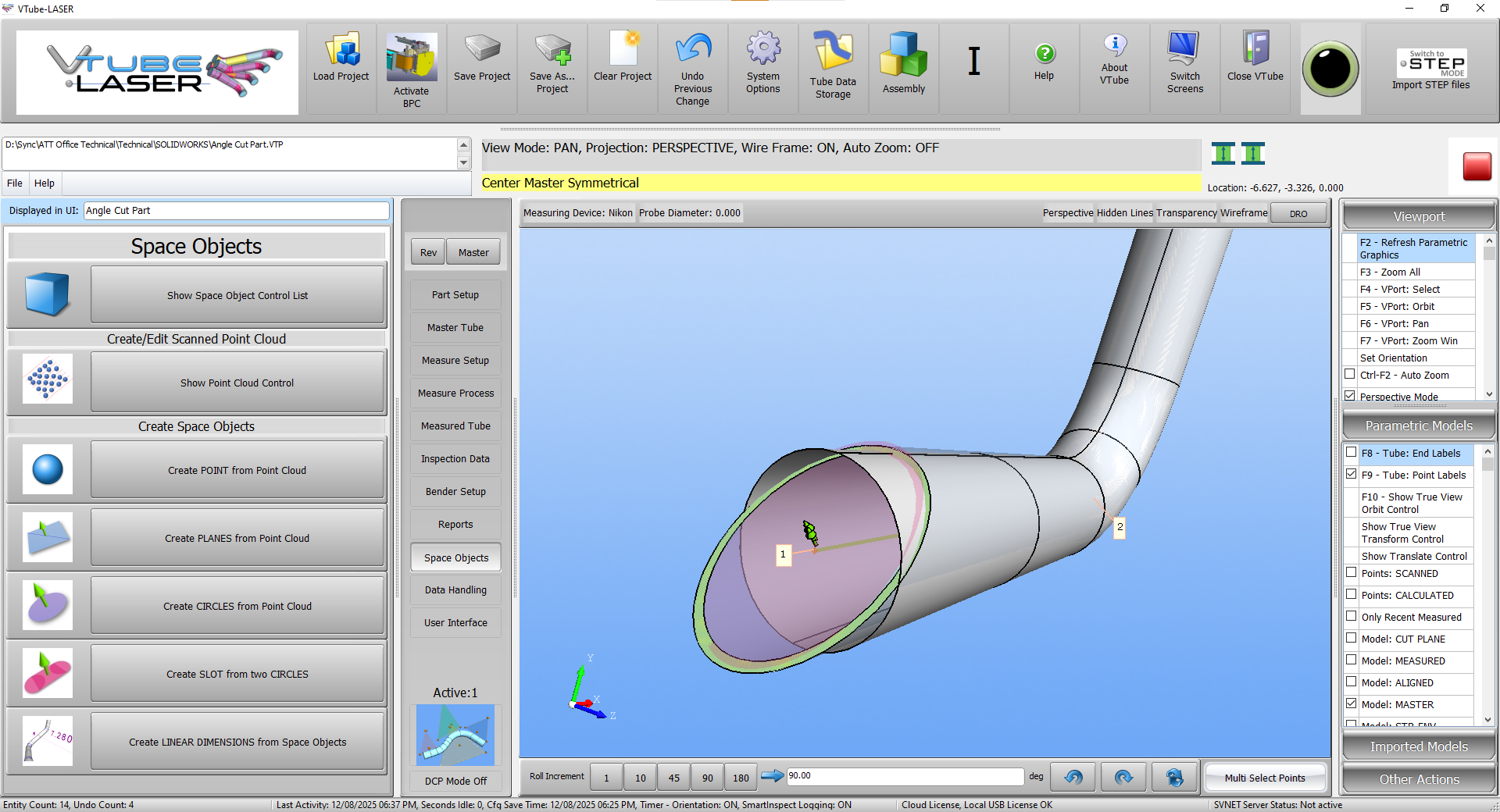
2 - FIX - Shortcut Keys work in VTube-STEP from Control Windows
Floating control windows in VTube-STEP enable shortcut keys to function in the main viewport without requiring the user to click on the viewport.
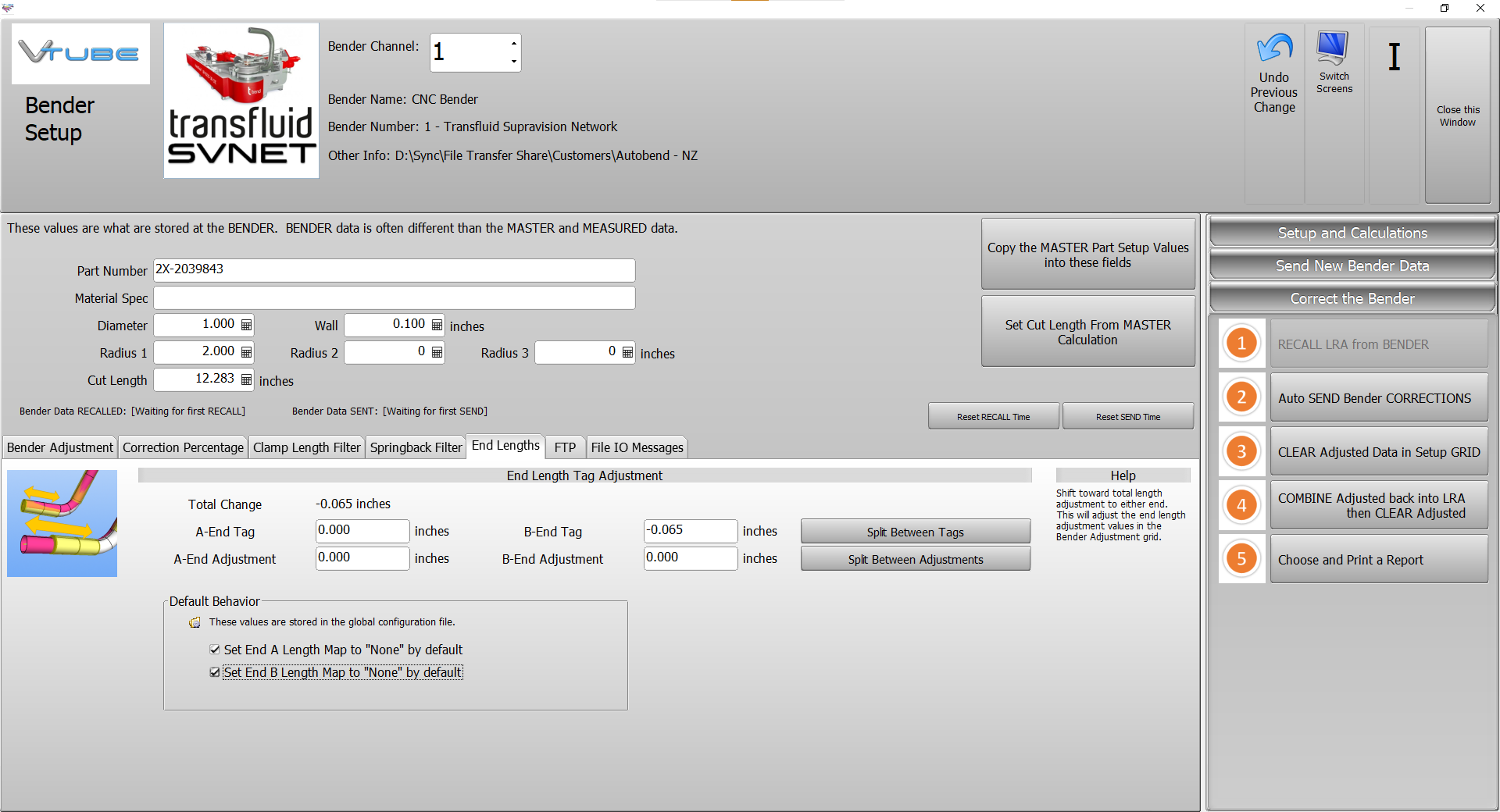
3 - NEW - Default End Length Map Ignore Options
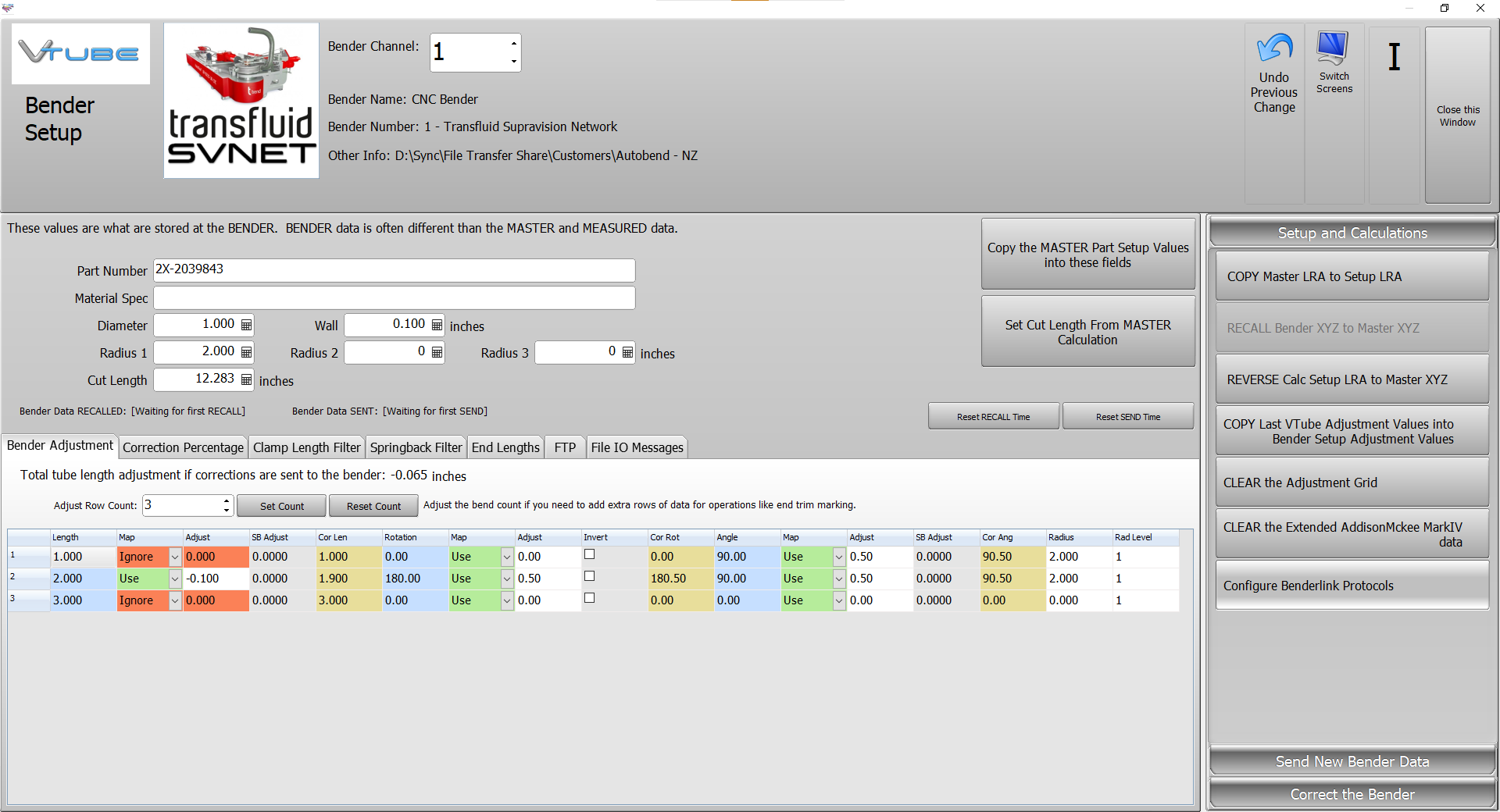
Bender Setup has a renamed "End Length" tab menu that includes two checkboxes, allowing users to automatically ignore the first and last end length corrections when setting up Bender Setup for the first time on any project. The values are stored in the global configuration file.
This capability is good for customers who bend and qualify parts with long end legs, then trim them after the bending process.
December 5, 2025 - Version 4.4 Build 1920
1 - NEW Tube Link Calculations for PLANEs
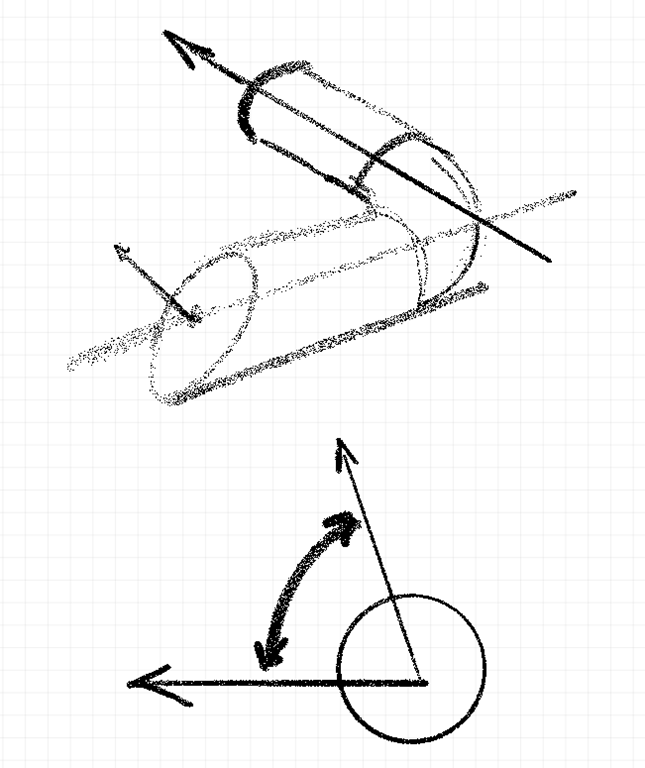
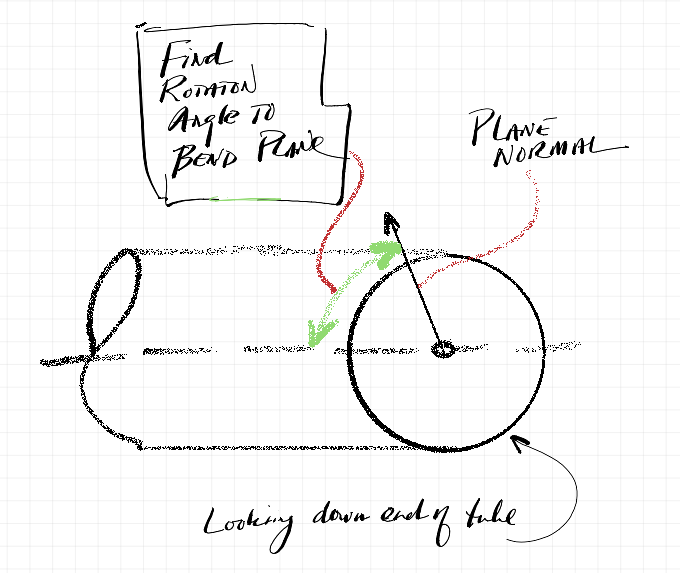
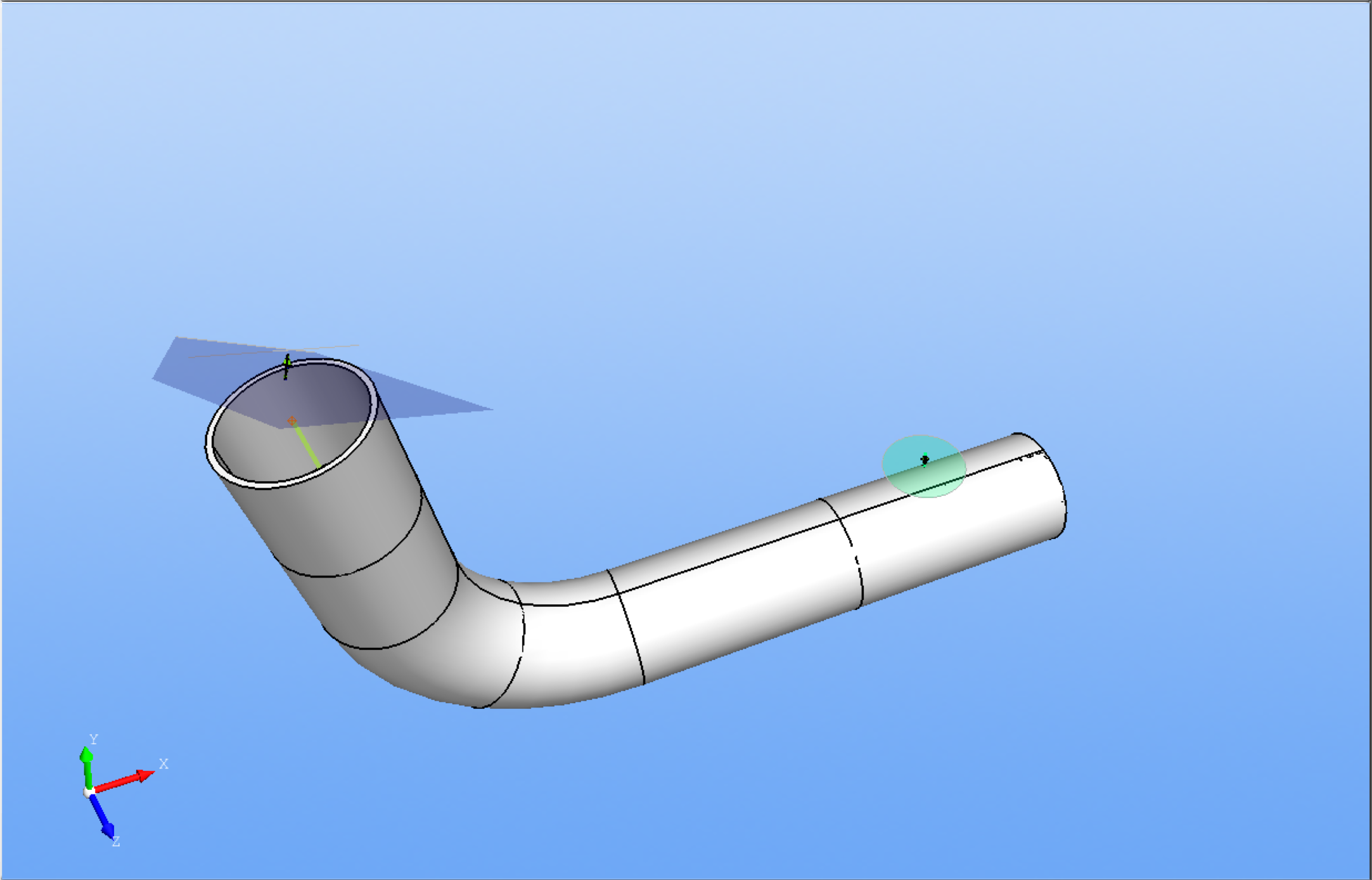
The new "NormV Translate for Rotation Previous Bend" and "NormV Translate for Rotation Next Bend" calculate the rotational angles of any plane normal to any bend plane.
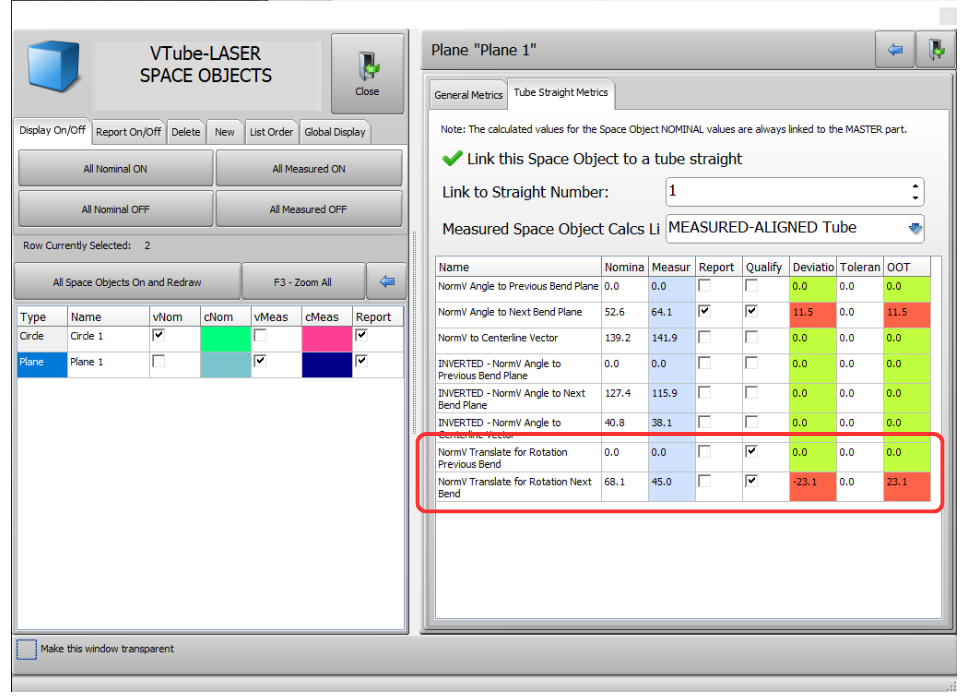
The calculation translates the normal of any plane so that it is attached to the end of the centerline of any bend in a tube model, then returns the rotation angle between that normal and the adjacent bend plane.
This calculation enables users to verify that angle cuts are accurate.
December 1, 2025 - Version 4.4 Build 1919
1 - NEW Elgato Stream Deck Support
Stream Deck is a macro key device with custom buttons to allow users to choose actions and toggle setup changes during measurement. This makes control of VTube-LASER more efficient, especially during measuring. Stream Deck Windows software can be downloaded from https://www.elgato.com/us/en/s/downloads. A Stream Deck setup file called a StreamDeckProfile is included with VTube-LASER in the application / StreamDeck folder.
This video shows loading the most recent VTube-LASER project and starting a UniScan measure process with three button presses. |
||
This shows the MAIN menu in the VTube-LASER Stream Deck profile version 1. |
||
This shows the MEASURE menu in the VTube-LASER Stream Deck profile version 1. |
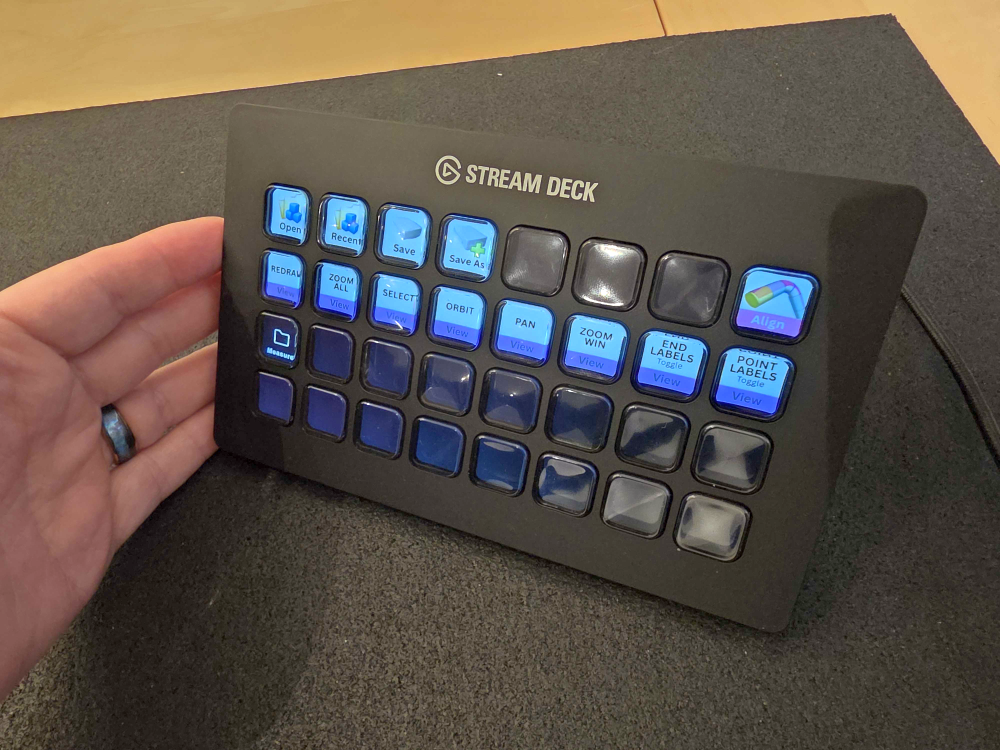
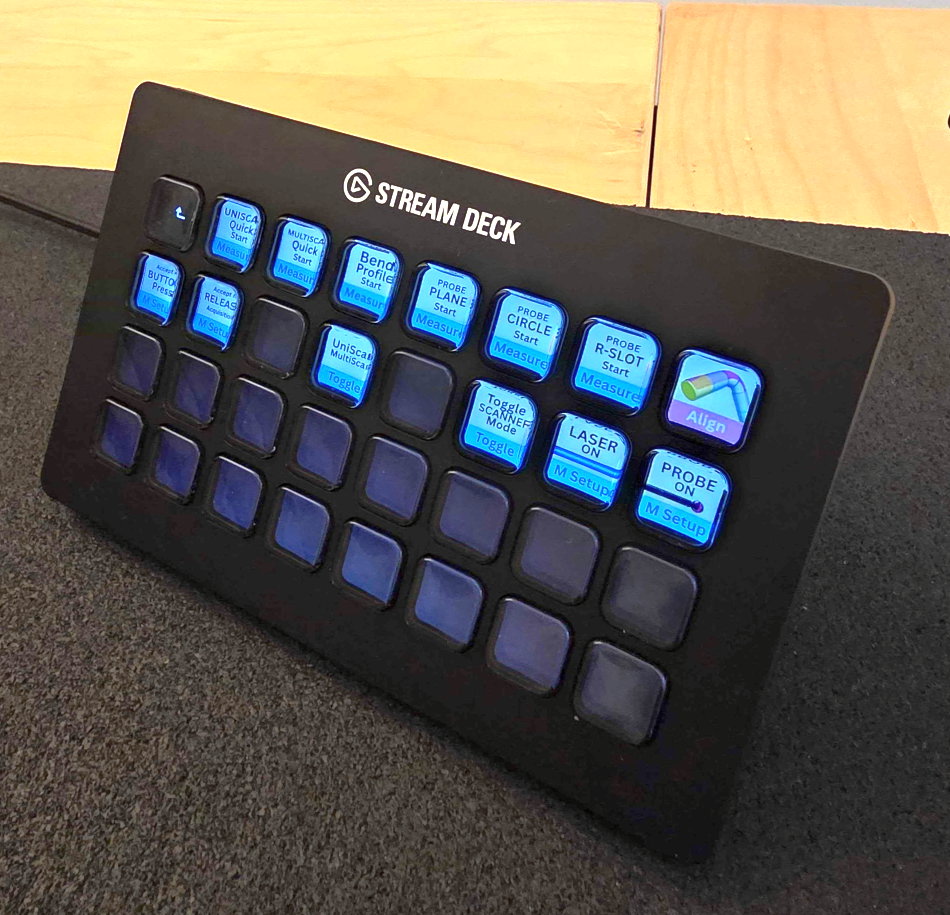
2 - NEW Shortcut Keys: VTube-LASER has 14 new shortcut keys designed to receive Stream Deck commands.
Ctrl+Shift+L = Load most recent project
Ctrl+Shift+S = Save As
Ctrl+Q = Switch scan accept to press the accept button mode ("Accept is BUTTON PRESS")
Ctrl+Shift+Q = Switch scan accept to acquisition button release timer. ("Accept is RELEASE Acquisition")
Control+Shift+C = Measure Probe Circle
Control-Shift+B = Measure Bend Profile
Control+Shift+P = Measure Probe Plane
Control+Shift+T = Measure Probe Round Slot
Control-Shift+U = Quick Start UniScan
Control-Shift+M = Quick Start MultiScan
Control+Shift+F2 = Toggle UniScan / MultiScan
F12 = Toggle Laser/Probe mode
Control+F12 = Switch to Scanner mode
Control+Shirt+F12 = Switch to Probe mode
3 - FIX Shortcut Keys for VTube-LASER with Floating windows
Some floating control windows called by VTube-LASER would not allow VTube-LASER to receive shortcut keystrokes without first clicking on the VTube-LASER window. This issue has been resolved, allowing all floating windows opened by VTube-LASER to respond to function keys, even when control windows have focus.
For example, now pressing F2 will redraw the VTube-LASER viewport no matter which floating control window is currently on top and active.